
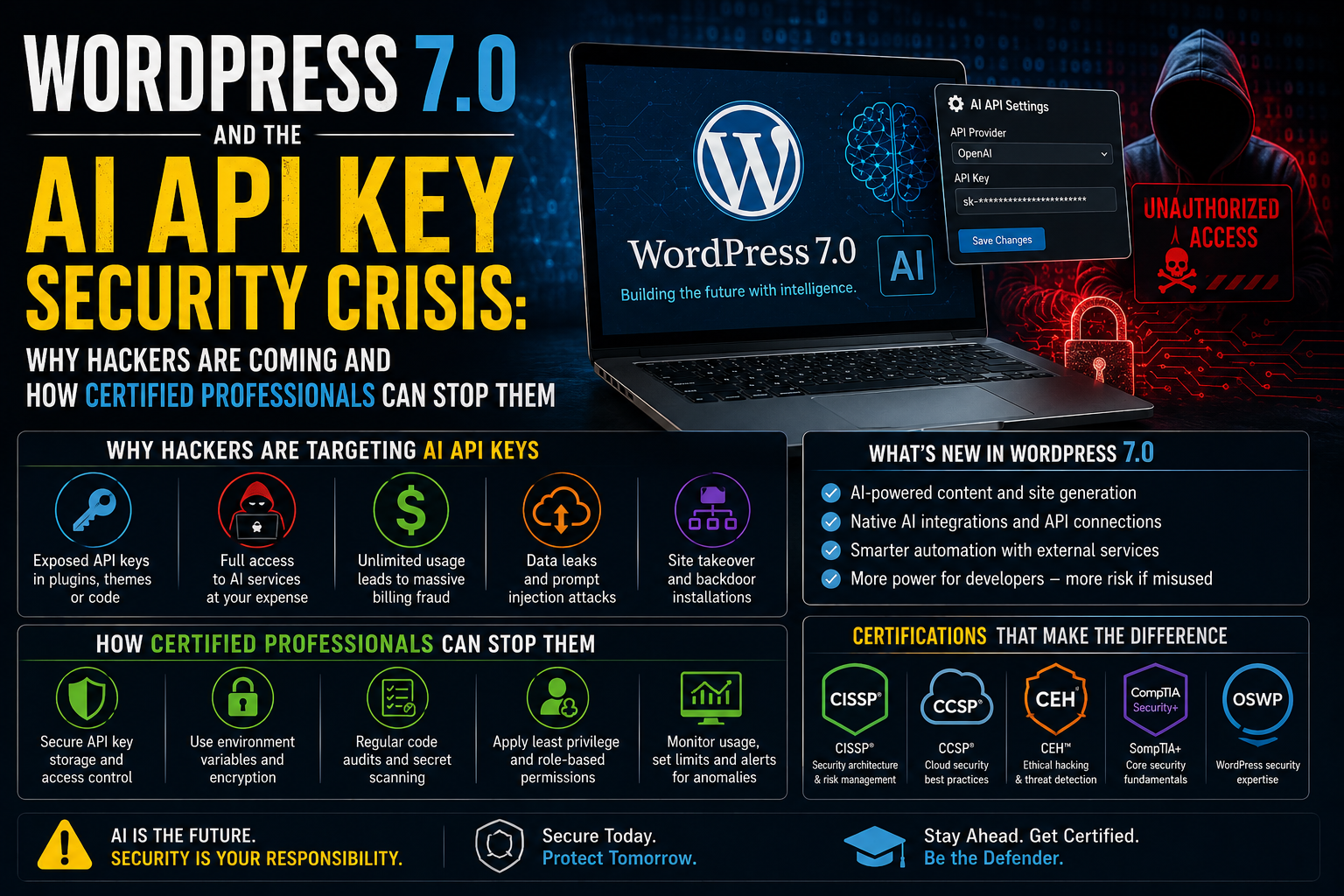
WordPress 7.0 and the AI API Key Security Crisis: Why Hackers Are Coming and How Certified Professionals Can Stop Them
WordPress powers approximately 43% of all websites on the internet. It is the world's most widely deployed content management system, running everything from small personal blogs to major enterprise websites and e-commerce stores. And with the release of WordPress 7.0 and its native AI integrations, it has just become a significantly more valuable target for cybercriminals. Security researcher Oliver Sild, founder of Patchstack — one of the most respected WordPress security firms globally — issued a stark warning that deserves the full attention of every web developer, site owner, and cybersecurity professional: there will be, in his words, 'an absolute rush by hackers to steal AI API keys.' The warning is not hypothetical. A real security bug in WordPress 7.0 that exposes AI API keys has already been documented. The economics of hacking WordPress sites have fundamentally changed, and certified cybersecurity expertise is now more valuable than ever for the professionals and organisations that rely on this platform.
What Are AI API Keys and Why Are They Worth Stealing?
Before understanding the
security risk, it is important to understand what makes AI API keys so valuable
— because many WordPress site owners who use AI integrations do not fully
appreciate what they have installed.
An AI API key is essentially a
secure password that enables a WordPress plugin or theme to communicate with an
AI service such as Claude (Anthropic), ChatGPT (OpenAI), or Gemini (Google).
Unlike the flat-rate monthly subscriptions that consumer users pay, API access
is billed by usage — charged per token, per request, or per unit of compute.
This means that an AI API key is not just a login credential. It is a direct
line to a metered financial account.
A single high-usage AI API
account can accumulate tens of thousands of dollars in charges. For attackers,
a stolen AI API key is effectively a stolen credit card — but one that can be
used to power large-scale operations that are themselves profitable:
|
Attack Type |
What
Attackers Do With Stolen AI API Keys |
|
AI Bot
Networks |
Stolen keys power thousands
of simultaneous AI-driven conversations on social media and dating platforms
— used to scam, manipulate, or defraud real users at scale |
|
Phishing
Campaigns |
AI API access enables
automated, personalised phishing emails at a volume and quality previously
impossible without large infrastructure |
|
Malware
Writing |
Stolen keys enable
automated generation of custom malware, exploits, and social engineering
scripts using advanced AI models |
|
Sensitive
Data Access |
WordPress AI integrations
may connect to business databases, customer records, or CRM systems — stolen
keys may expose that data |
|
AI Credit
Theft |
API usage is billed per
token — stolen keys run up thousands of dollars in charges on the legitimate
owner's account |
|
Supply
Chain Exploitation |
Compromised WP sites with
AI integrations can be used as relay points for further attacks on connected
systems |
This is the economic reality
that Oliver Sild is warning about. WordPress sites that previously held no data
of financial value to attackers — a small business blog, a portfolio site, a
community forum — now become high-value targets the moment an AI API key is
installed. The website content may be worthless to a criminal, but the AI
access credential stored in its database is not.
The WordPress 7.0 Security Bug: API Keys Exposed in Plain Text
Sild's warning was not merely
theoretical — it was accompanied by a concrete, documented security bug in
WordPress 7.0 that demonstrates the risk in practical terms. The vulnerability
was reported to the official WordPress GitHub repository and describes a
specific failure in how the AI integration setup form handles API key entry:
When entering an API key in the integration setup form
(Anthropic provider), the API key value appears in the browser
autocomplete/autofill suggestion dropdown in plain text. This can expose
sensitive credentials to anyone with access to the browser session or screen.
The API key field should behave like a secure password field and should not
display previously entered values as suggestions.
This is a straightforward but
serious implementation error. Password fields in web forms suppress browser
autocomplete for security reasons — the browser is explicitly instructed not to
cache or display the content. Standard text input fields do not carry this
instruction, so browsers helpfully offer to autofill previously entered values.
By treating an API key input as a standard text field rather than a secure
password field, WordPress 7.0 allows the browser to display the API key as a
plain-text autocomplete suggestion.
The consequences of this
exposure include:
•
Screen sharing sessions — a developer sharing their
screen during a meeting could inadvertently expose the API key when the
autocomplete dropdown appears
•
Shared or public computers — on a machine used by
multiple people, the API key could appear as an autofill suggestion for any
subsequent user
•
Shoulder surfing — anyone physically near the person
entering the key could read it from the autocomplete dropdown
•
Browser history and profile theft — if an attacker
gains access to a browser profile (through malware, session hijacking, or
physical access), autocomplete data including the API key may be accessible
The Deeper Problem: WordPress's Architecture Was Not Built for AI Secrets
The autocomplete bug is a
specific, fixable implementation error. But Sild and the developer community
that joined the discussion on the Dynamic WordPress Facebook group identified a
far more concerning structural issue: WordPress's core architecture was
designed before websites routinely contained monetisable AI credentials,
automated billing accounts, or direct connections to powerful AI services.
The architectural
vulnerabilities that make this problem hard to solve:
|
Architectural
Issue |
The Problem |
Severity |
|
Plugin
Trust Model |
Any installed plugin can
access the full WordPress database and file system — there is no permission
isolation between plugins |
HIGH |
|
Database as
Secret Store |
API keys are stored in the
WordPress database, which all plugins can read. Database access = credential
access |
CRITICAL |
|
PHP
Arbitrary Execution |
Any plugin with PHP
execution capability can make direct AI API calls even if keys appear to be
hidden or encrypted |
CRITICAL |
|
No Granular
Permissions |
No current mechanism to
restrict which plugins and themes can access sensitive AI credentials or
external services |
HIGH |
|
Autocomplete
Exposure |
AI API key entry fields in
WordPress 7.0 behave like text fields, not password fields — browser autofill
exposes keys visually |
MEDIUM |
|
Slow Update
Cycle |
Site owners often delay
updates, leaving known vulnerabilities open for hours or days after patches
are released |
HIGH |
Developer Andrei Lupu put the
database problem plainly:
The reality is that once they have access to db, you are doomed.
We need to work on best practices to prevent that.
Brian Coords, developer advocate
at WooCommerce, probed whether API keys could be isolated outside the
environment — but acknowledged the fundamental limitation:
This applies to secrets pretty generally in WordPress. Is there
a solution that doesn't require a full architectural overhaul? Just thinking
through it, even if you could theoretically hide the keys and connections
themselves outside the environment, even the ability to add PHP to a site means
you could still include malicious code to make the calls from the site itself.
Steve Jones of Equalize Digital
suggested that WordPress may eventually need a more granular permissions model
— controlling which plugins and themes can access sensitive services or
credentials. Sild agreed that solving the problem at the architectural level
would likely require a major overhaul, because any plugin vulnerability that
exposes database access or administrator privileges effectively compromises the
entire site including all stored API keys.
Matt Mullenweg's Defence — and Why It Misses the Point
WordPress co-founder Matt
Mullenweg pushed back against the suggestion that WordPress sites are broadly
insecure, pointing out that the vast majority of WordPress sites remain secure
and that he has personally run WordPress sites for over 20 years without being
hacked. This is true — and it is beside the point.
The issue is not that WordPress
is inherently insecure. Properly maintained WordPress sites, with updated
plugins, strong passwords, and appropriate security hardening, can be and
frequently are secure. The issue is threefold:
•
Changed economics — even a well-maintained site that
previously held nothing worth stealing now becomes a target if it stores AI API
credentials worth thousands of dollars
•
Speed of exploitation — Patchstack research shows that
attackers are increasingly targeting the brief window between vulnerability
disclosure and site owner patching. Not all WordPress site owners update
immediately, creating exposure windows that sophisticated attackers exploit
within hours of a vulnerability becoming known
•
AI integration awareness gap — many site owners who
install AI plugins do not understand that the API keys they are storing are
metered financial credentials, not just login passwords. This unawareness means
they may not prioritise the security of those credentials appropriately
Automattic's own WordPress.com
servers experienced a security incident in 2011 that exposed sensitive
information, demonstrating that even the platform's own infrastructure is not
immune to compromise. The argument that WordPress can be secure therefore does
not resolve the question of whether it will be secure at scale as AI
integrations proliferate.
Practical Steps to Secure AI API Keys in WordPress
For WordPress site owners and
web developers managing AI-integrated sites, the Patchstack warning translates
into a set of concrete security actions that should be implemented immediately:
Immediate Actions
•
Update to the latest WordPress version immediately —
apply security patches as soon as they are released, without delay
•
Use environment variables for API keys — store AI API
credentials outside the WordPress database, in server-level environment
variables (.env files) that are not accessible to the WordPress application
layer
•
Restrict file and directory permissions — ensure that
.env files and configuration files containing API keys are not readable by web
processes or accessible via the browser
•
Audit all installed plugins — remove any plugins that
are unused, unmaintained, or obtained from non-official sources. Every
installed plugin is a potential attack surface
•
Enable two-factor authentication on the WordPress admin
account — credential theft through admin panel access is a common pathway to
database access
•
Implement a Web Application Firewall (WAF) —
Cloudflare, Wordfence, or Sucuri WAF rules can block common attack patterns
before they reach the WordPress application
Ongoing Security Practices
•
Monitor AI API usage regularly — set up billing alerts
with your AI provider (Anthropic, OpenAI, Google) so that unexpected usage
spikes trigger immediate alerts
•
Rotate API keys periodically — change AI API keys on a
regular schedule and immediately if any security incident is suspected
•
Use IP restriction on API keys where possible — some AI
providers allow you to restrict API key usage to specific IP addresses,
limiting the damage if a key is stolen
•
Keep a complete plugin inventory — know what every
installed plugin does and review it periodically for security updates and
necessity
•
Enable WordPress activity logging — tools like WP
Activity Log record all admin actions, login attempts, and file changes, making
it easier to detect and investigate suspicious activity
The Cybersecurity Certifications That Address This Challenge
The WordPress AI API key
security challenge is not simply a platform problem — it is a professional
skills problem. The organisations and individuals who will navigate this threat
environment effectively are those who hold certified expertise in web application
security, secrets management, and vulnerability response. Here are the
certifications that matter most:
|
Certification |
Why It Is
Directly Relevant to WordPress AI Security |
|
CompTIA
Security+ |
Foundational cybersecurity
certification covering credential management, web application security,
vulnerability management, and threat identification. The baseline for any
professional securing WordPress or web-based systems. |
|
Certified
Ethical Hacker (CEH) |
Offensive security
credential that teaches how attackers identify and exploit web application
vulnerabilities, steal credentials, and abuse API access. Essential for
understanding and countering the exact attack patterns targeting WordPress
7.0. |
|
CompTIA
CySA+ |
Cybersecurity analyst
credential covering continuous monitoring, vulnerability scanning, and
incident response. Directly applicable to detecting anomalous AI API usage
that may indicate credential theft. |
|
CISSP |
Enterprise security
architecture credential covering secure software design, identity and access
management, and cryptography — the skills needed to architect secure secrets
management for AI-integrated web platforms. |
|
Certified
Cloud Security Professional (CCSP) |
Covers API security, cloud
service integration security, and data protection in cloud-connected
environments. WordPress AI integrations are effectively cloud service
integrations — CCSP provides the framework to secure them. |
|
CompTIA
PenTest+ |
Practical penetration
testing credential. Professionals who can test WordPress installations for
API key exposure vulnerabilities are in high demand from agencies and
enterprises running AI-integrated sites. |
|
Web
Application Security (GWAPT / BWAPP) |
Specialised web application
security credentials covering SQL injection, XSS, CSRF, and other attack
vectors that enable database access — the root cause of API key exposure in
WordPress environments. |
|
WordPress
Security Specialist |
Certizon's
platform-specific security programmes covering WordPress hardening, plugin
security auditing, secrets management, and incident response for the world's
most widely deployed CMS. |
The Career Opportunity: WordPress Security Is a Growth Specialism
The security concerns raised by
WordPress 7.0's AI integrations are creating real and growing demand for
certified cybersecurity professionals who specialise in web application
security and CMS platform security. Consider the scale of the opportunity:
•
WordPress powers over 43% of all websites globally —
approximately 810 million sites
•
AI plugin adoption in WordPress is accelerating rapidly
as site owners integrate AI for content generation, SEO, customer service, and
e-commerce
•
The vast majority of WordPress sites are managed by
small businesses, agencies, and individual developers who do not have dedicated
security staff
•
Every WordPress agency, hosting provider, and web
development firm serving AI-integrated clients now has a professional
obligation to understand and address AI API key security
For IT professionals who hold
certifications in web application security, WordPress security, and API
security, this creates a compelling consulting and employment opportunity.
Enterprises and agencies managing large WordPress estates are actively seeking
professionals who can audit AI integrations, implement secrets management best
practices, and establish the monitoring and incident response processes that
the Patchstack warning makes urgent.
Frequently Asked Questions
Q1: What is the security bug in WordPress 7.0?
A documented security bug in
WordPress 7.0's AI integration setup form allows the browser to display AI API
keys as plain-text autocomplete suggestions. Unlike standard password fields,
which suppress browser autofill for security reasons, the API key input field
in the Anthropic provider setup form was implemented as a standard text field,
causing the browser to cache and suggest previously entered keys in plain text.
This can expose credentials during screen sharing, on shared computers, or to
anyone with access to an active browser session.
Q2: Why are AI API keys more valuable to attackers than other website
credentials?
AI API keys are directly
connected to metered billing accounts. Attackers who steal an AI API key gain
access to compute resources that can be worth tens of thousands of dollars.
They use stolen keys to power AI bot networks, conduct scaled phishing campaigns,
generate malware, and access sensitive data connected to the AI implementation.
Unlike stolen website content, which has limited direct value, a stolen AI API
key is effectively a stolen credit card for AI compute services.
Q3: Does WordPress's plugin architecture make this problem unsolvable?
The architectural challenges are
significant but not entirely unsolvable. The core issues — database-level
secrets storage, arbitrary PHP execution, and the absence of granular plugin
permissions — would require substantial architectural changes to fully resolve.
In the meantime, site owners can implement meaningful mitigations including
environment variable storage for API keys, Web Application Firewalls, plugin
auditing, and real-time API usage monitoring. These controls do not eliminate
the risk but significantly reduce it.
Q4: What should I do immediately if I use AI plugins on a WordPress site?
Immediate steps include: update
WordPress to the latest version; move API keys to server environment variables
rather than storing them in the WordPress database; audit and reduce your
installed plugin count; enable two-factor authentication on the admin account;
set up billing alerts with your AI provider to detect unexpected usage; and
implement a Web Application Firewall. Rotate your API keys now and establish a
regular rotation schedule going forward.
Q5: What certifications help professionals address WordPress AI security
risks?
The most relevant certifications
include CompTIA Security+ (web application security fundamentals), Certified
Ethical Hacker (CEH), CompTIA PenTest+ (penetration testing including web
applications), CCSP (API and cloud security), CISSP (secure architecture and
secrets management), and web application security specialisations covering SQL
injection and database access attack vectors. Certizon offers programmes across
all of these tracks.
Secure the AI Layer Before the Attackers Get There
Oliver Sild's warning is clear
and credible: the combination of WordPress 7.0's AI integrations and the
platform's plugin architecture creates a new and highly attractive attack
surface. AI API keys worth tens of thousands of dollars are now stored in WordPress
databases across millions of sites, many of which are managed by owners who do
not fully understand the financial exposure those credentials represent. The
rush Sild predicts is coming — and it will target both high-profile enterprise
sites and small business owners who thought their websites had nothing worth
stealing.
For IT professionals, this is a
moment to build and demonstrate the certified expertise that clients,
employers, and agencies urgently need. Web application security, WordPress
security hardening, API credential management, and incident response are no longer
niche specialisms — they are core professional competencies for anyone working
in web development and cybersecurity in the AI era.
Certizon's globally recognised
cybersecurity certification programmes equip you with exactly these skills.
Visit certizon.com to explore our
full certification catalogue, access free trial courses, and speak with a
career advisor today.
WordPress added AI. Hackers noticed. Certified security professionals are the answer.